My two Dell PowerEdge R720s are old. Really old. Dell introduced the R720 generation in 2012, which makes recommending one as a server in 2026 sound a little ridiculous.
Yet I have two of them running 24/7 in my home lab, and I don’t currently have any plans to replace them.
It’s not because they’re power efficient. They’re not. It’s because replacing working hardware has a cost too, and when I started looking at what these machines actually consume, what replacement hardware would cost, and what I’d gain by replacing them, the math wasn’t particularly compelling.
What My R720s Actually Are
| Primary R720 | Secondary R720 | |
|---|---|---|
| Purchased | 2019 | 2022 |
| Purchase price | $0 | $338 |
| CPUs | 2 × Xeon E5-2680 v2 | 2 × Xeon E5-2680 v0 |
| RAM | 192 GB | 128 GB |
| Storage | 23TB net | 24TB net |
| Primary role | Main VM/storage host | Backup/PBS host |
The servers I am running today are not what I started with in 2017, when I first moved from the desktop ESXi box to my first home Dell server. I’m a little hazy on the details, but what follows is more or less how I got to what I am running today.
I’d been running VMware on my AMD Athlon X4 desktop since 2010. Along came 2017, and my organization had begun downsizing and moving Illinois staff to our central Kentucky headquarters in earnest. Along with that came our move from our own Springfield datacenter to a managed datacenter. That began freeing up hardware. The first that made it into my hands was an older R710. I began with that one (scroll down to see how I dealt with the default server loudness in “But Aren’t R720s Loud?“), and began upgrading it with more storage (and drive trays). I ended up purchasing an R510 off eBay the following year, and did the same.
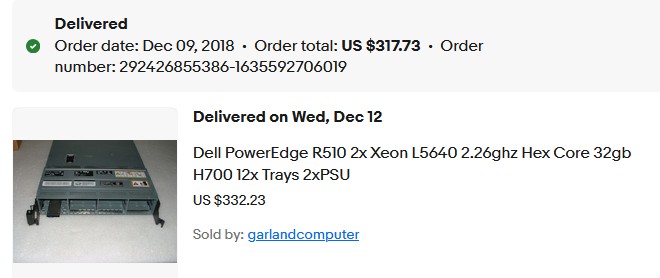
Shortly after I had the 510 outfitted with empty drive trays and a couple drives and had ESXi on it, the two R720s from the office that had been running VMware View virtual desktops for us, became available, plus a few other servers. The two View machines were each loaded down with 392GB of RAM of the same DDR3 ECC I’d had in the other machines, only a little faster.
I passed along the older servers to buddies once I migrated from them. Migrating from one Dell of the same generation to another is incredibly simple, as many of you know.
I didn’t need all that RAM in these servers, so I figured out how much I actually needed and pulled the rest. I made sure to follow Dell’s memory configurations from their site.
I ended up with one server having 192GB (12 sticks of 16GB) and the other having 128GB.
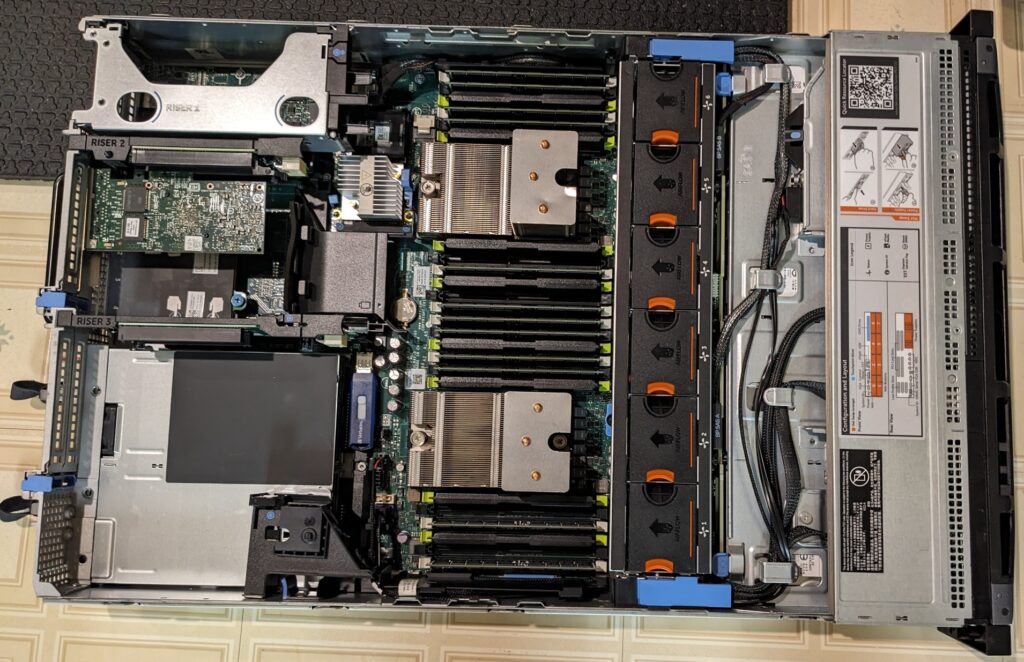
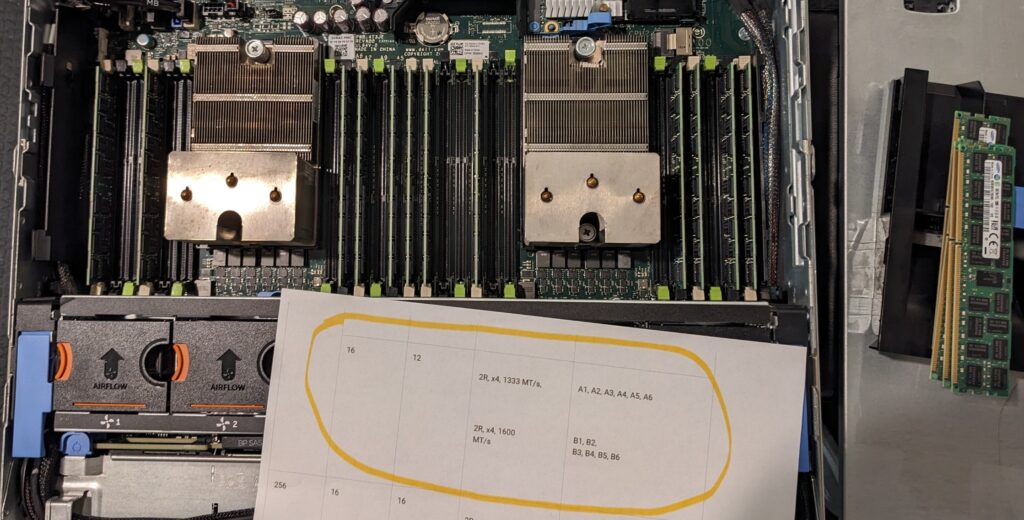
The memory that was pulled was distributed to my tech buddies for their servers, to get their totals up. The DDR3 used in these Dells is also used in the Rx10 and Rx20 generations, which included the R420s that two buddies had with only one stick of 16G in them. Passing along two to each maxed their 420s out to the 48GB. I still have plenty of spares.
What I have really upgraded over the years in my servers has been storage. R720s have only eight bays so careful consideration has been made for both drive size, and keeping storage creep under control. As my media pool grew, and more security cams came online, storage was upgraded a few times. Thankfully this was done prior to the late 2025/2026 storage crisis.
What these servers do for me
These two servers are the backbone of my home lab. The “primary” R720 runs my Plex server and the FTP instance that handles routing all my security cameras to the OpenMediaVault primary storage pool, which is also on this server. I have a couple of development machines and several other Linux machines that perform specific functions. It also runs the Home Assistant instance that I rely on.
The secondary 720 has the online storage pool backup that is rsynced to twice a week, as well as Proxmox Backup Server and a couple other small VMs. I also have copies of key VMs from the primary server so if I have to take primary down for a length of time, I can power up the backup Plex server, which points to the rsync pool, and no one knows the server is down for maintenance.
But Aren’t R720s Power Hogs?
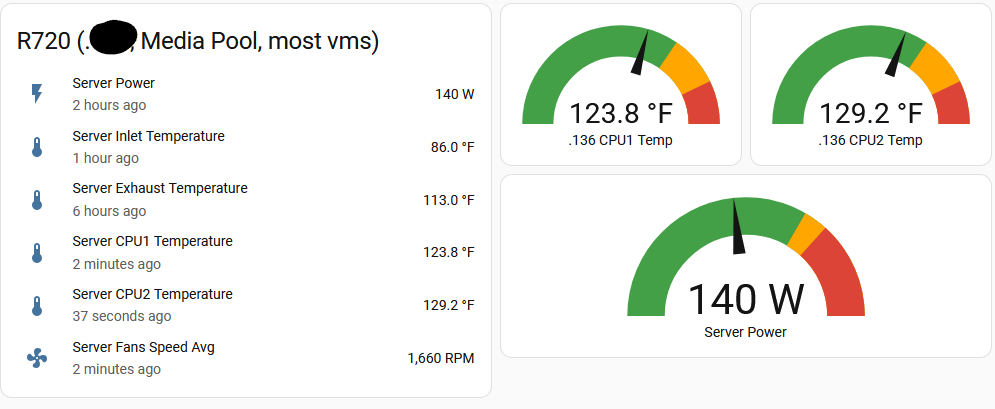
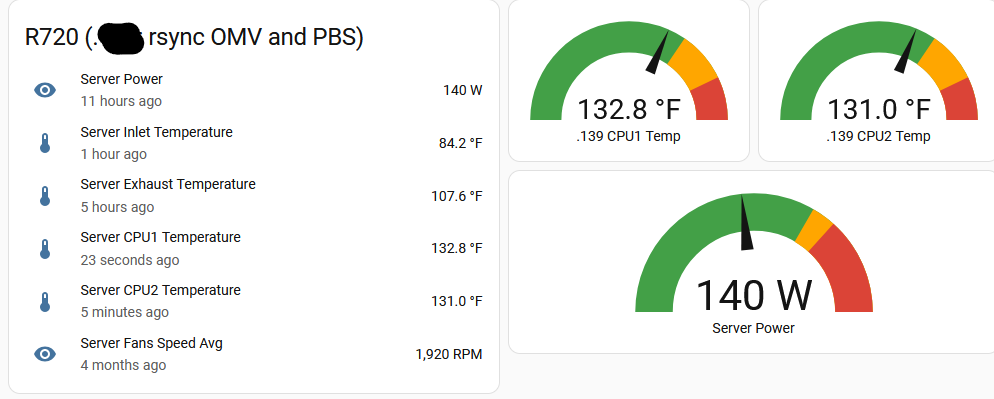
These servers do not spend a lot of time over 140W, as the two graphs show.
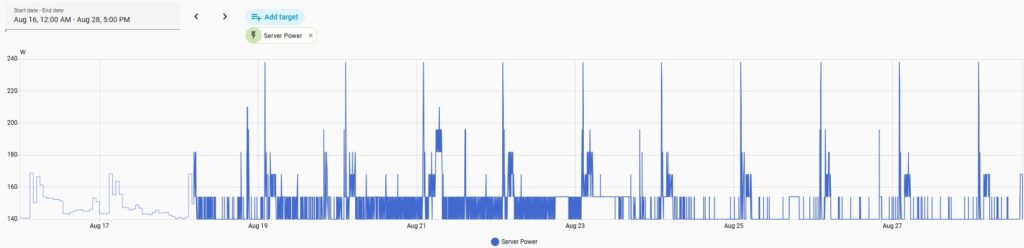
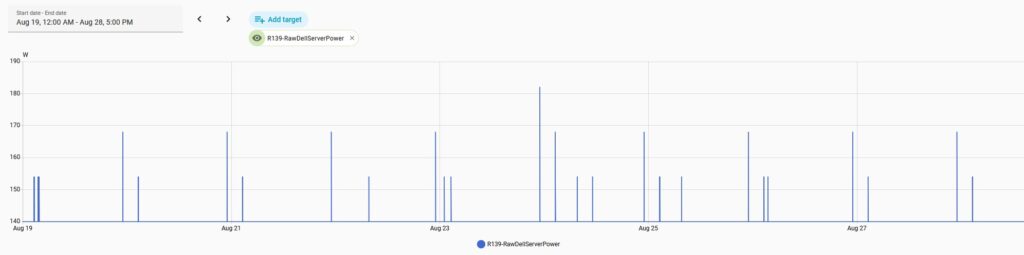
My primary R720 spends most of its time right around 140–154 W, with periodic excursions into the 160–195 W range and very brief higher spikes. The secondary is even flatter: essentially 140 W almost continuously, with only occasional brief increases. I have six 7200rpm SAS/SATA drives in each, in addition to the two boot/Proxmox SSDs in both. Using roughly 6 watts per drive as a ballpark figure, around 36 watts of each server’s consumption can be attributed just to the six large-capacity drives.
At 140 W continuously, each server consumes about:
0.140 kW × 24 × 365 = 1,226 kWh/year
At my Central Illinois summer rate of roughly $0.16/kWh electricity cost, that’s about $196/year per server, or $392/year for both. Even allowing for occasional higher consumption, we’re still in roughly that neighborhood.
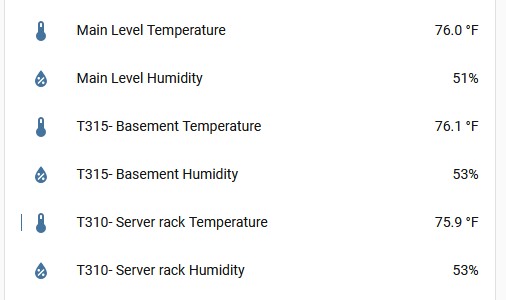
Before you ask “But what about the heat they produce?“, these are located on a rack in my finished 24×25-foot basement. The servers obviously produce heat, but it gets dispersed into a large volume of air. The furnace and its return air are also in the basement. As the Home Assistant readings below show, at the time of this screenshot the main level was 76.0°F, the basement was 76.1°F, and the sensor at the server rack was actually 75.9°F.
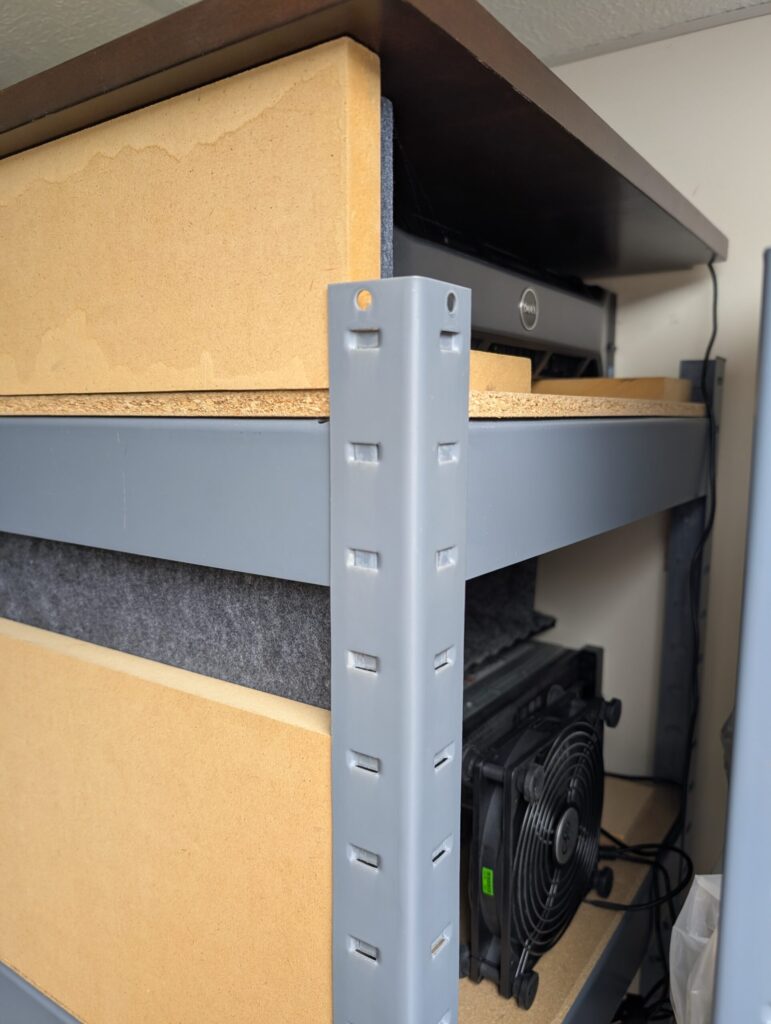
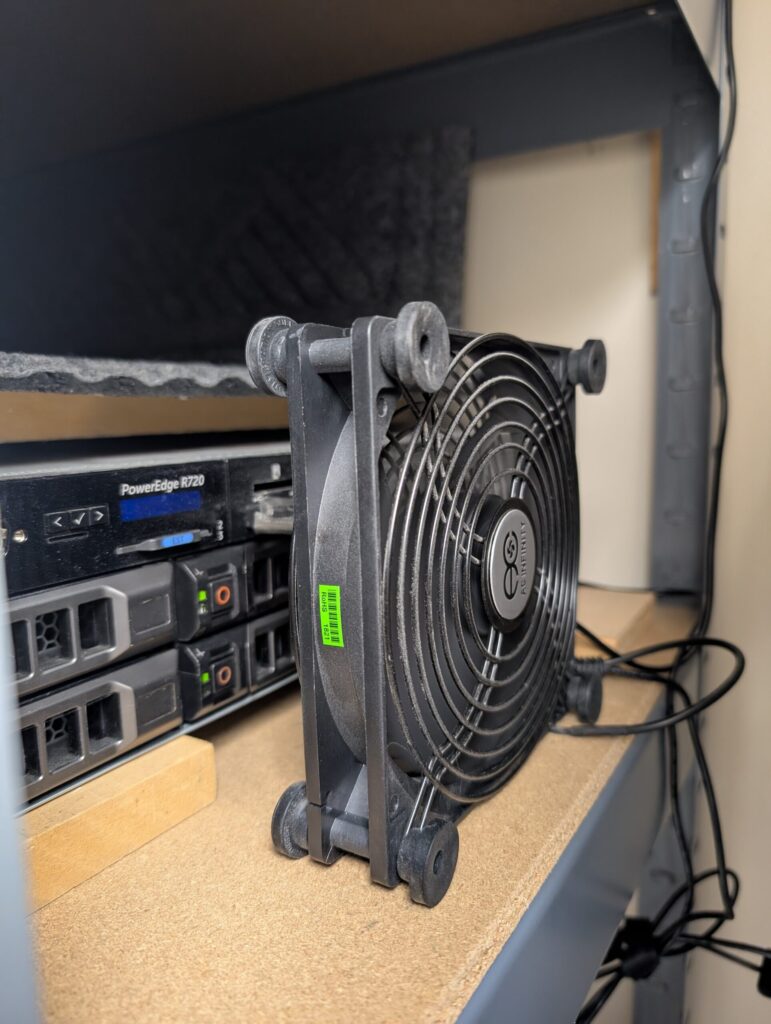
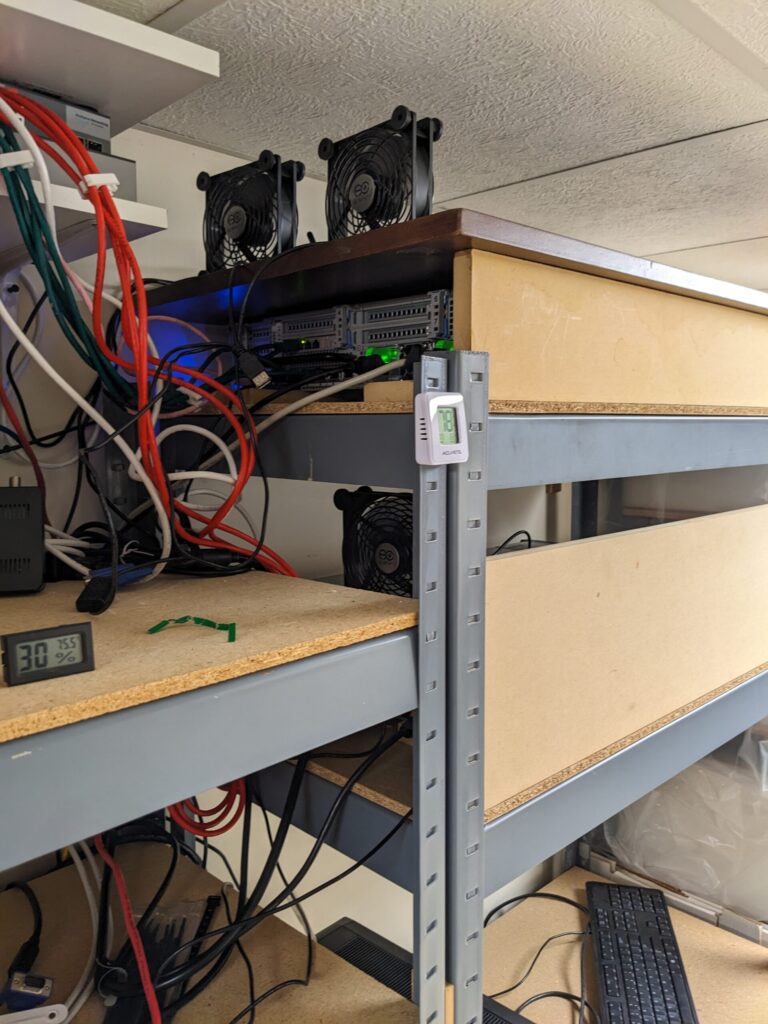
What I did need to solve, given how the servers sit in the storage shelves, was getting the hot exhaust air farther away from the servers. To keep the hot air from stagnating immediately behind the servers, I simply added some nice USB fans to help move the air out into the room. And a large fan in front of the primary server to keep cooler air being forced into the intakes.
That really works.
Below are snippets from two of the Home Assistant tabs. I also have an alert set up if they get above 180W. The temps then show on my main HA page. Occasionally either a Mint or Windows instance decides to ramp up CPU usage, so the power would climb. If I am not home and see this, I can simply restart or stop the offending VM with a single click. A future article will detail my HA work.
I also have several temperature sensors (this and this) around the house that are connected into HA.
But Aren’t R720s Loud?
Normally, yes.
When I brought the initial R710 into my home (basement), I struggled with how to deal with the loud fans. They were loud. I work full-time in my basement and loud fans were a nonstarter for me, so I began investigating how to reduce the volume before I even considered moving workloads from the very quiet AMD desktop running everything at that point. Do I create a well-insulated box? Do I move to another location in my house? Neither seemed like great ideas.
And then I stumbled across the answer: IPMI (which stands for Intelligent Platform Management Interface). This would allow me to send commands to the server(s) and define what the fans should run at rather than the server keeping the fans up high to keep the CPUs as cool as they could.
The first part was to enable IPMI within the IDRAC’s network screen.
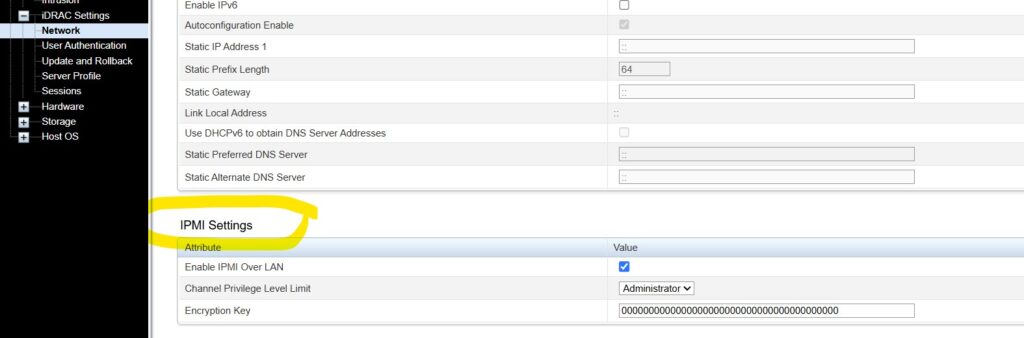
Then I went to the Dell site and found the IPMI download package that would give me the installers for my Windows machine. Once I installed, I played with fan speeds in a batch file until I reached the best compromise between fans speed and server temperatures. You’ll note just two lines are required. The first command disables Dell’s automatic fan control—basically “priming the pump” so I can set the fan speed manually with the second command. And the second line you just change the final two digits to adjust fan speeds. The final value controls the requested fan-speed percentage and is entered in hexadecimal, but despite me having two R720s, both use different final numbers as the fans react differently. So, my number won’t be the one you use but it would give you a starting point.

"c:\program files (x86)\Dell\SysMgt\bmc\ipmitool.exe" -I lanplus -U <user> -P <pwd> -H <ip of the R720> raw 0x30 0x30 0x01 0x00

"c:\program files (x86)\Dell\SysMgt\bmc\ipmitool.exe" -I lanplus -U <user> -P <pwd> -H <ip of the R720> raw 0x30 0x30 0x02 0xff 0x06
I created two versions of the batch file; one for daytime and one for nighttime. Daytime (6am) job reduces the fans to the optimal SPL/temps. Nighttime (11pm) ups the fan speeds a bit more. The jobs are just scheduled tasks on my Windows 11 machine. The same thing could easily be accomplished in Linux.
There is an important caveat to manually controlling the fan speeds: you are responsible for making sure temperatures remain safe. So you take responsibility for the server’s welfare.
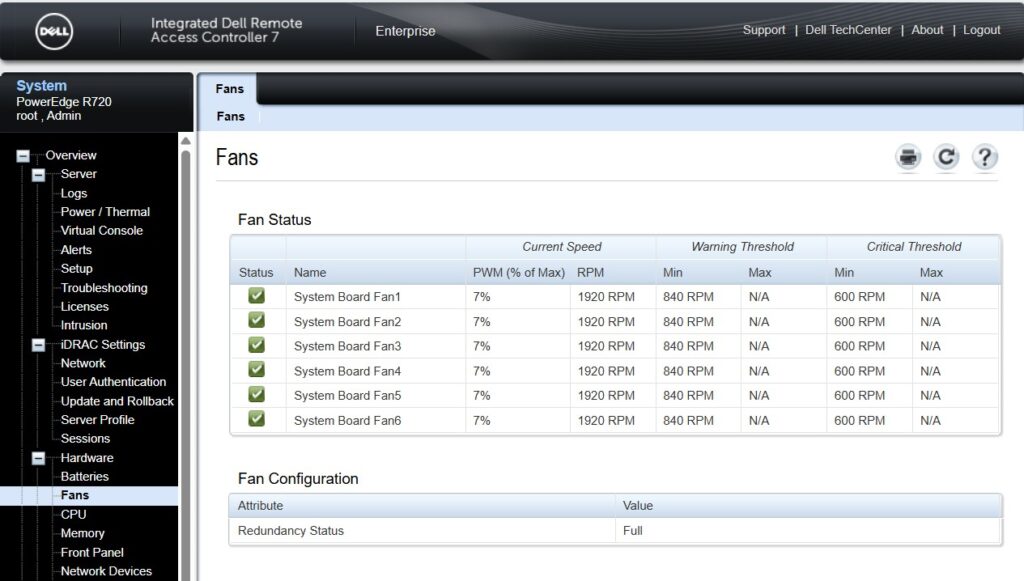
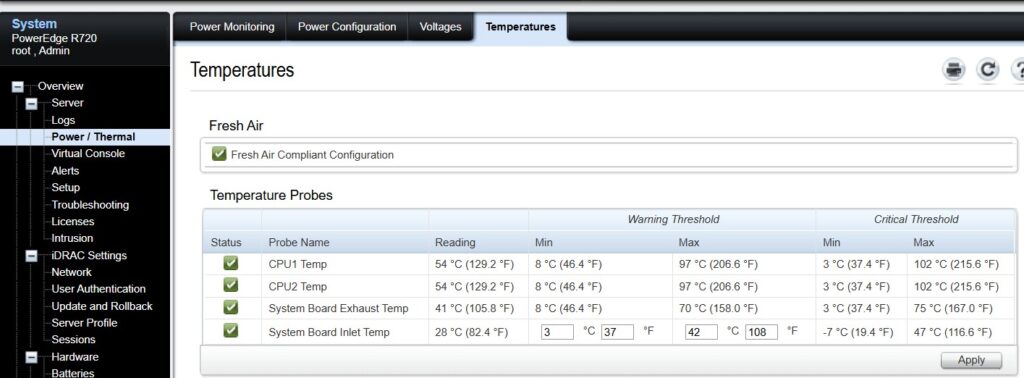
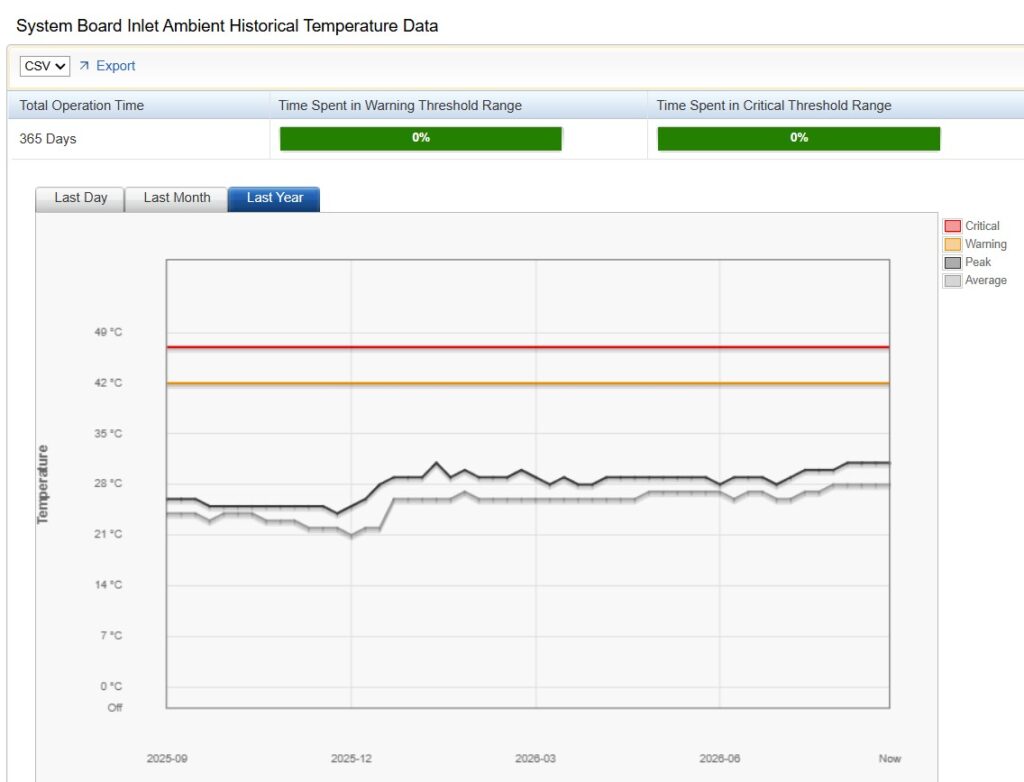
Below are some IDRAC screens for one of my servers to show just how much the fans have been reduced, while the server still is plenty cool.
Old Doesn’t Necessarily Mean Unreliable
I had a 10TB SAS drive fail earlier this year. It went from predicted to being pulled from the mirror. Because this virtual array was a two-drive mirror, my lab kept right on humming while I waited for the replacement drive to arrive. It was simple enough to swap the replacement drive in and let the server rebuild the mirror. It took 24 hours, but I never noticed any performance issues. Had that happened to a single drive, not in a mirror or RAID-10 array, I would have been offline for a while and had to rely on my tiered backups to get me back.
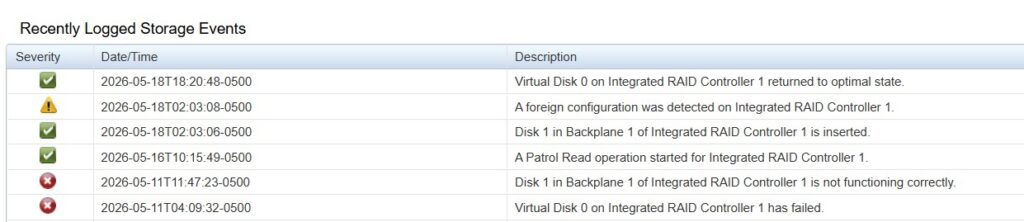
I’ve had power supplies go bad, but they are found readily on eBay. Redundant power supplies make swapping them out painless, with zero downtime. Enterprise servers are built to stay up 24/7 and are designed to make part replacement easy.
I also had a “water event” in the Spring of 2022 due to a ruptured pipe above my servers. A pipe burst while I was outside, and water rained down through the drop ceiling for about ten minutes until I came back inside to the screech of multiple water detectors and unhappy servers.
The top server ended up needing to be replaced, and the bottom one needed new PSUs as they did get waterlogged. Once I powered both servers off (yes, they both had kept running) and pulled the plugs, I pulled the PSUs and brown water poured out. Gross.
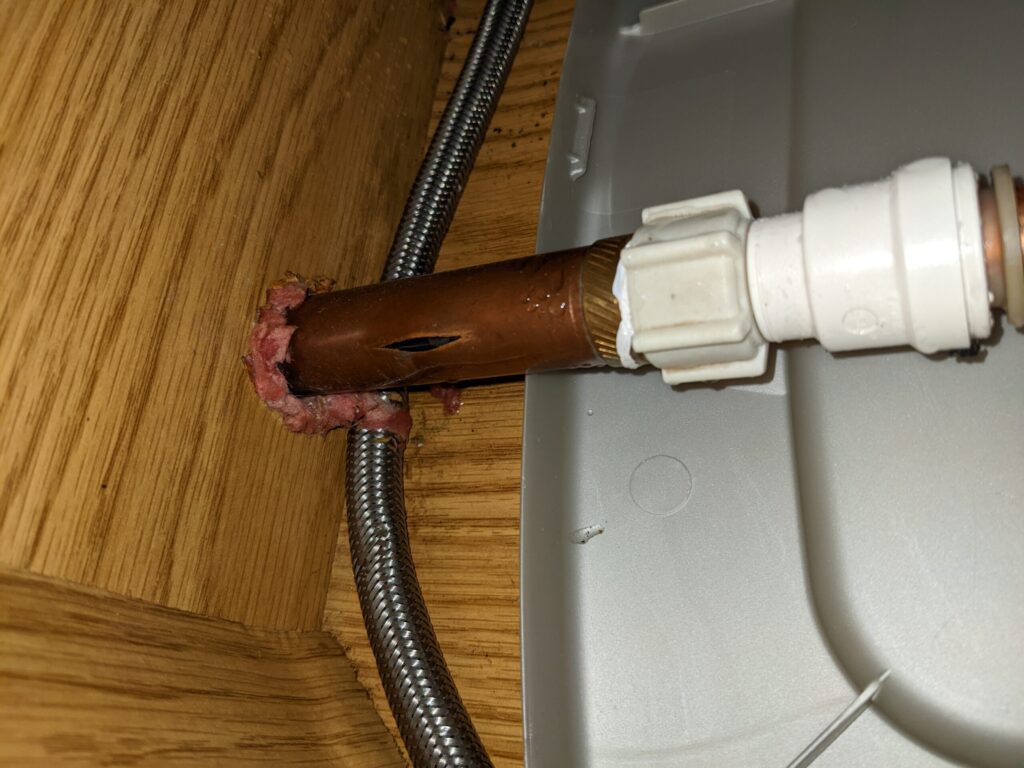
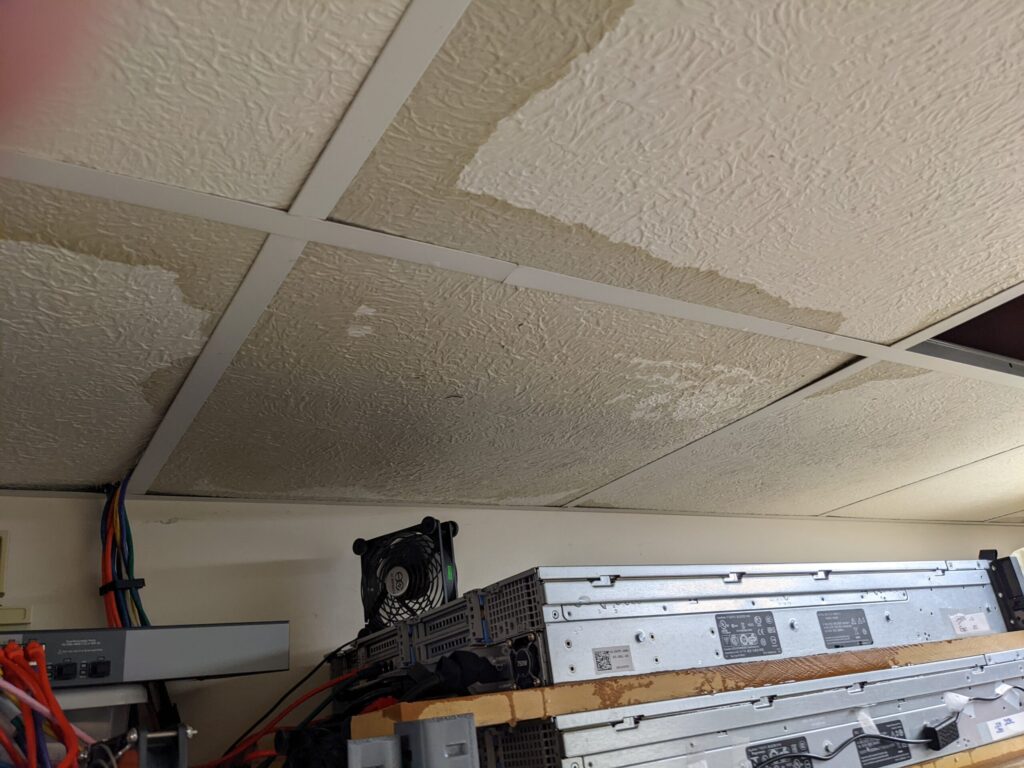
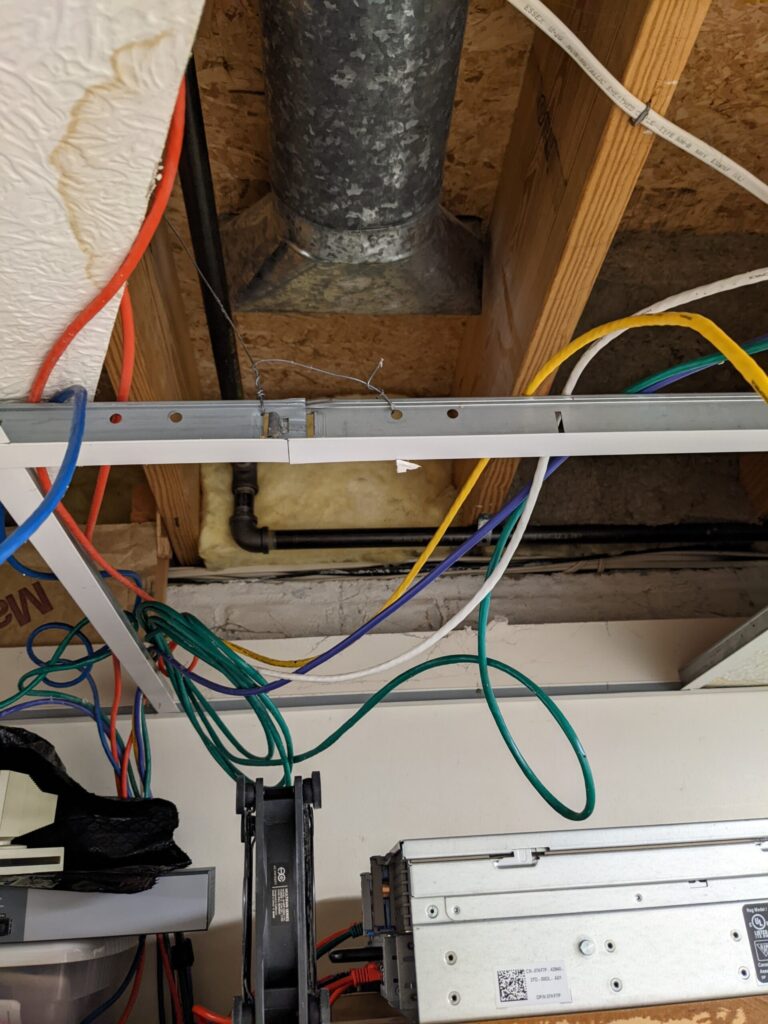
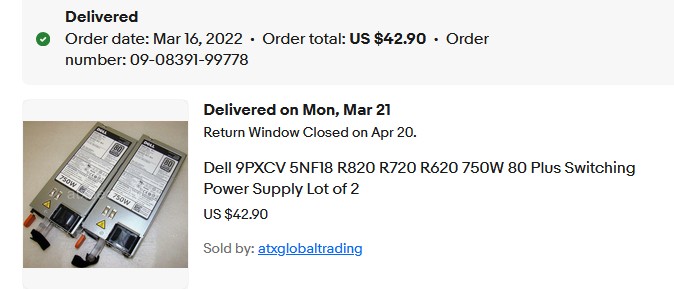
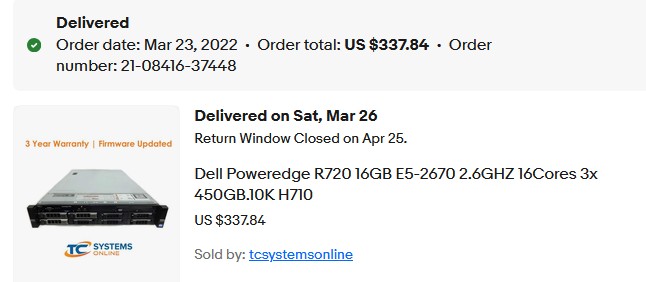
Once the replacement server arrived, I moved RAM over to it and then the drives over as well. I crossed my fingers when I booted the server up and imported the foreign arrays. Miraculously, they all imported successfully and I lost nothing. Replacing the PSUs was all that was needed on the other server. Whew.
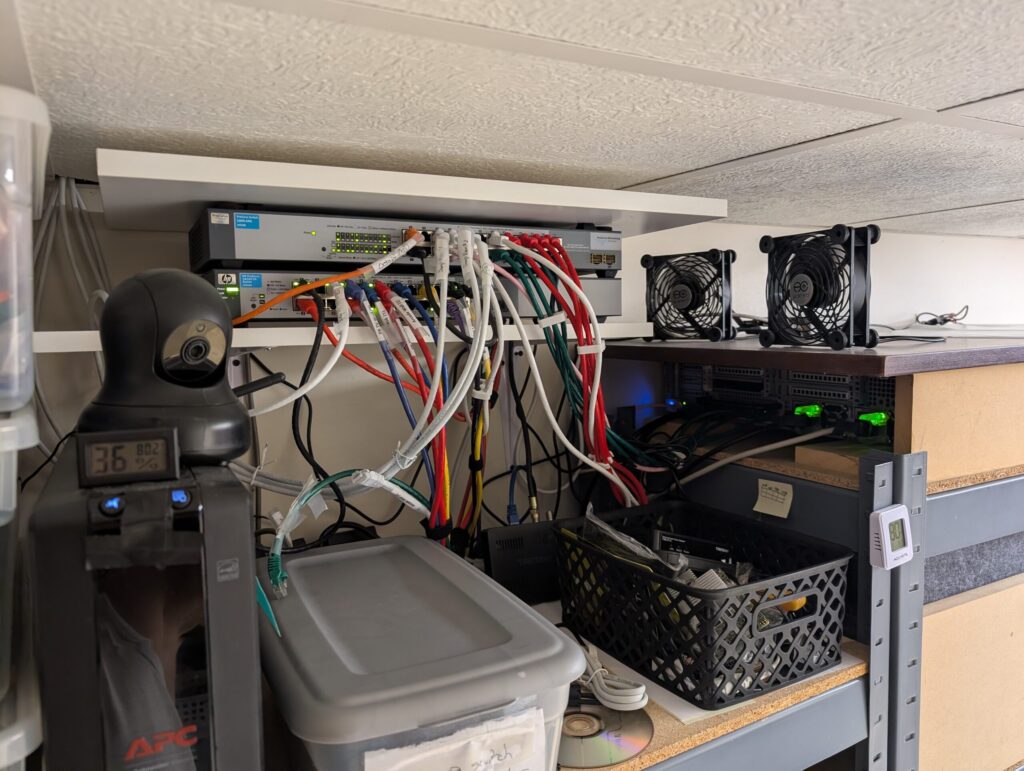
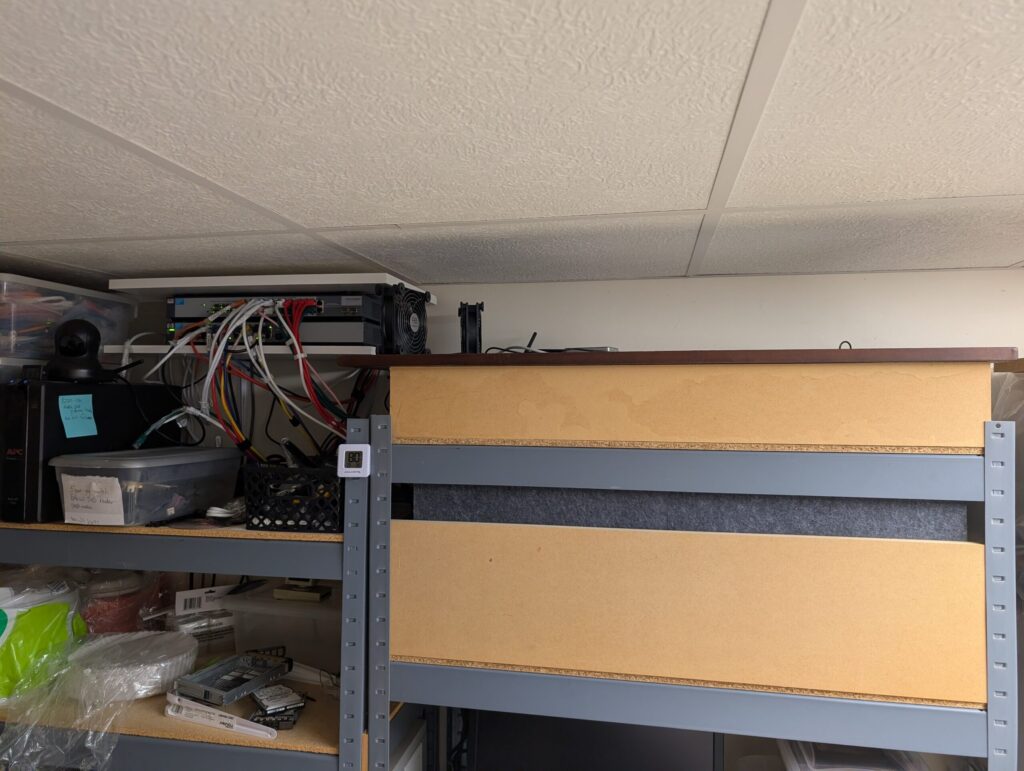
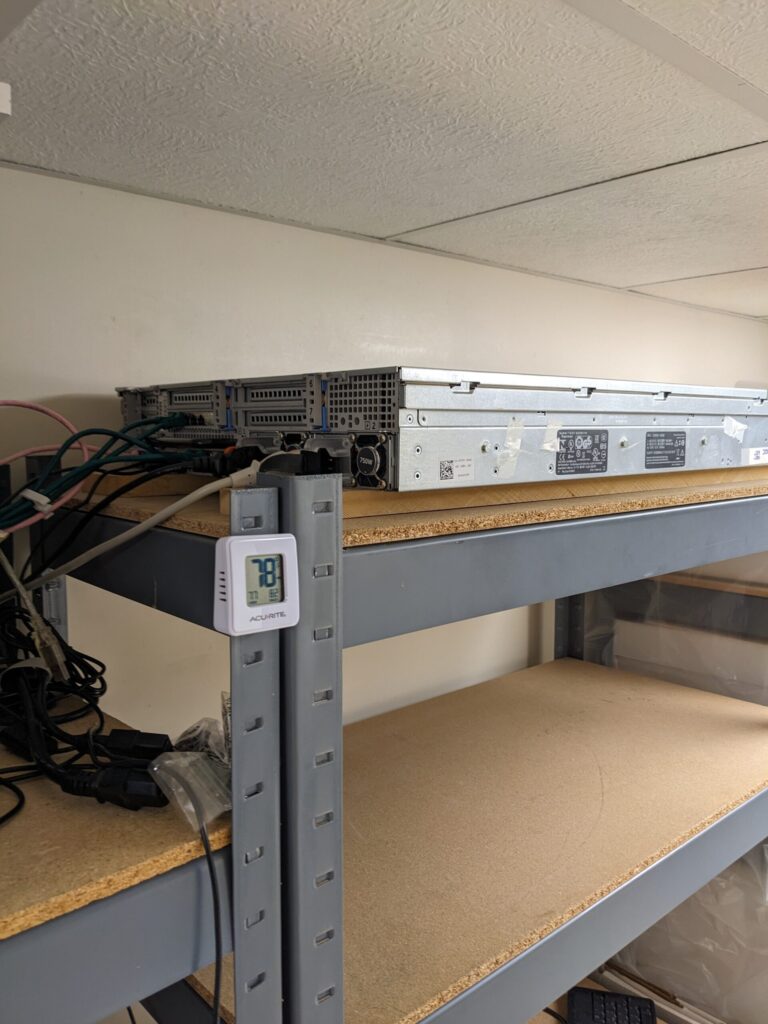
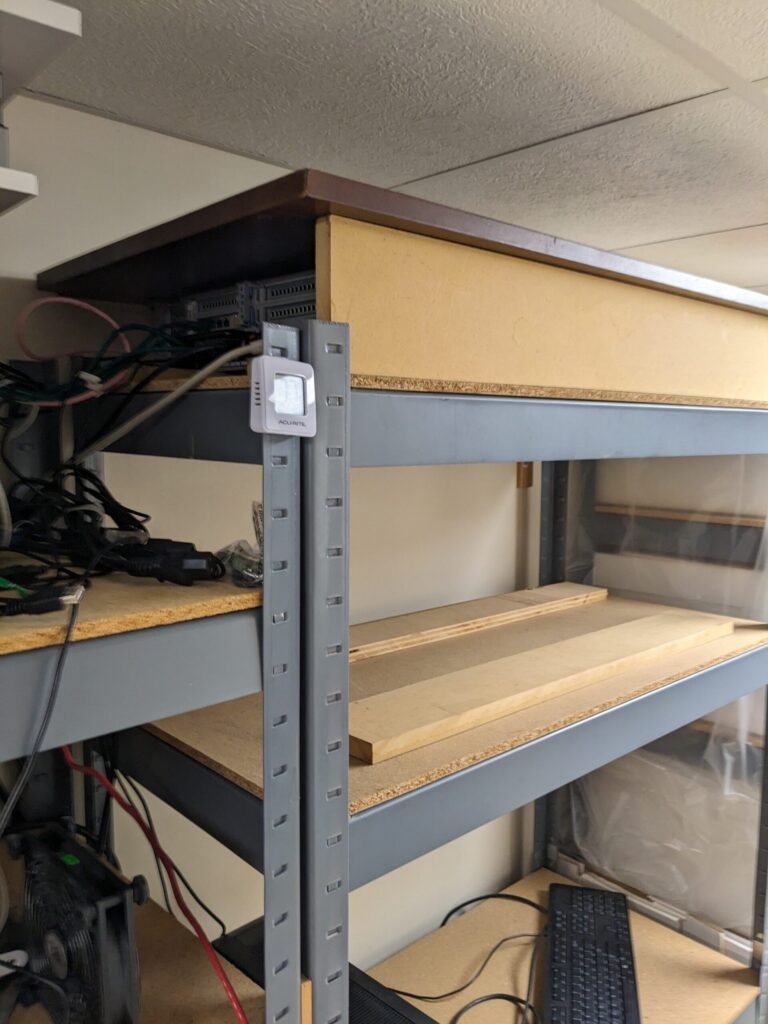
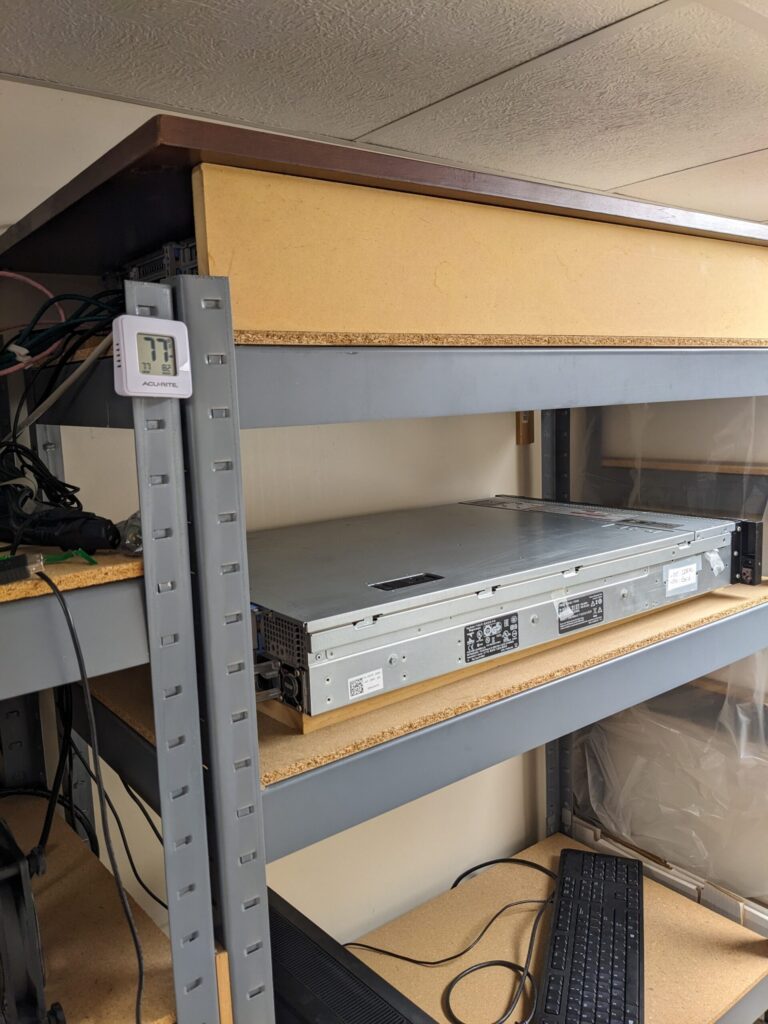
If you paid attention to the pictures at the top of the page, you’ll spot that the top server and the switches are under larger boards. These are the “hats” I added after the water event, so if it were to happen again (crossing fingers it does not) the hats would shed the water off to the sides and not rain down on the servers. The servers are also elevated up off the shelf with two 3/4″ boards.
But Are They Fast Enough?
These servers are beefy enough for my needs. Storage and RAM are far more important than CPU. I’ve even considered replacing with more efficient Xeons but the pennies saved don’t seem to justify the effort.
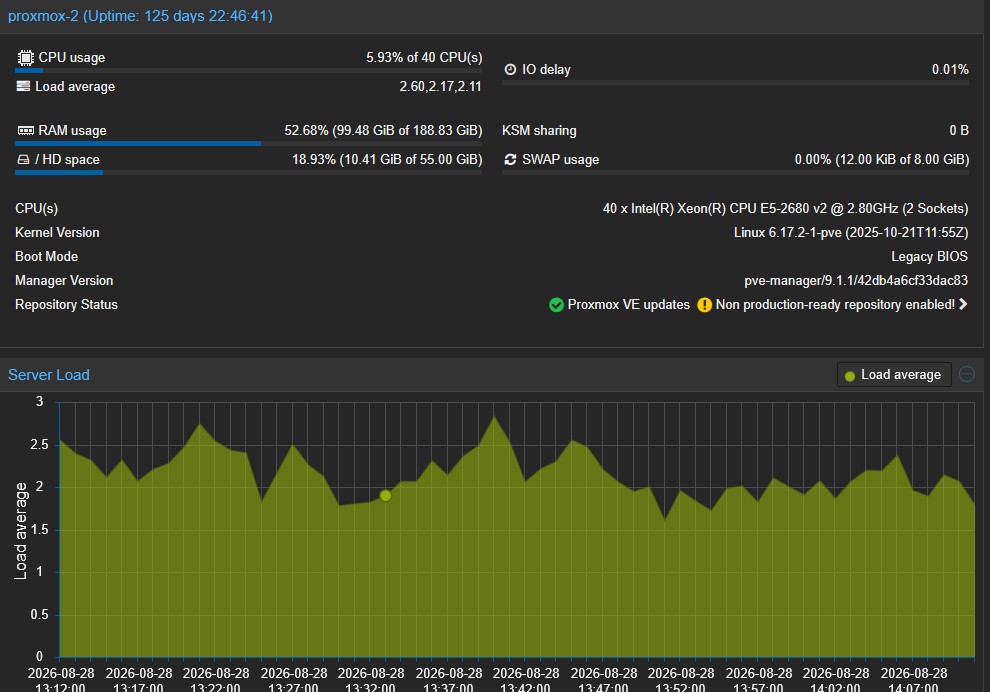
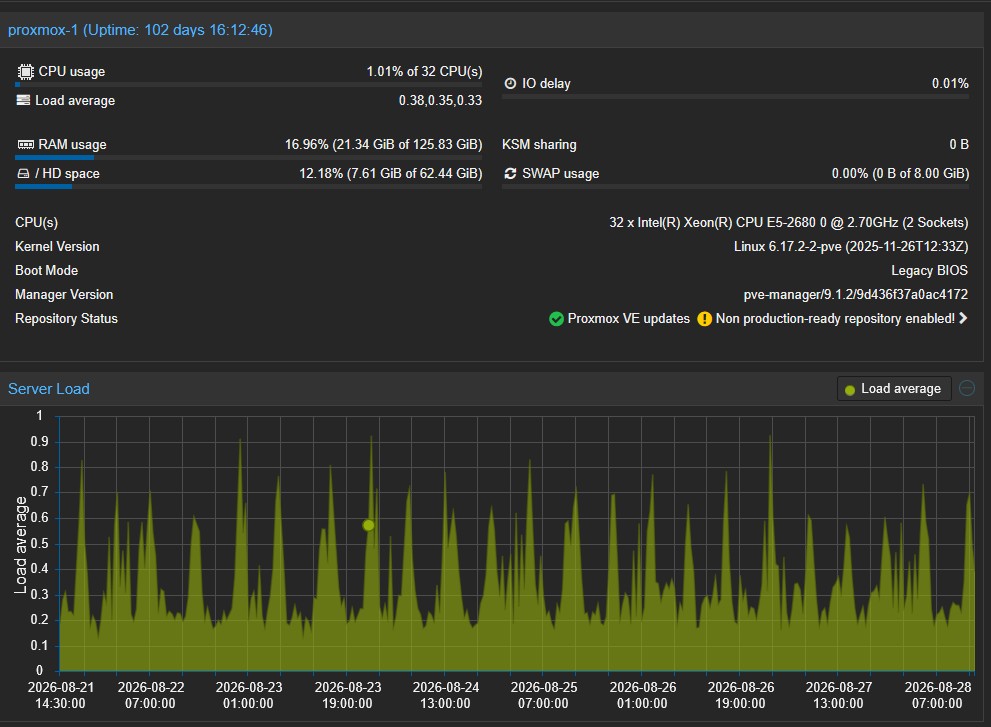
The primary server (top picture) is running some important functions but only a couple use appreciable power. Since my neighborhood got fiber (1000/1000) three-plus years ago, Plex doesn’t have to transcode media when streaming outside the house to my family and a small group of friends. Direct streams take essentially no CPU vs what transcoding blu-ray (1080p) media down to something that can be pushed up a 15 Mpbs pipe (thanks Comcast, for nothing!). Having gigabit up and down, this problem went away.
The secondary sits idle most of the time. Proxmox backup jobs run overnight, and an OMV backup instance uses almost no power.
Would a more powerful server benefit me with my current workloads? At this point in time, the answer is a resounding no.
What Would I Replace Them With?
This is where the argument for replacing the R720s starts to fall apart for me. What exactly would I replace them with?
A modern desktop processor would provide far more CPU performance while consuming less electricity, but CPU performance isn’t what I need more of. Memory and storage capacity matter much more to my workloads.
Between the two R720s I’m currently running 320GB of ECC memory—192GB in the primary and 128GB in the secondary. And that’s after I removed a substantial amount of RAM from them. When these servers were running VMware View at work, each had 392GB installed.
That DDR3 ECC memory isn’t worth much today, but that’s actually part of its value to me. I already own it. I have more than I need, I have spare DIMMs on hand, and replacing these servers with a modern platform would mean leaving all of it behind.
Storage may actually be the harder part. Each R720 currently has six large-capacity 3.5-inch SAS/SATA drives plus two SSDs. Between the two servers I have 47TB of usable storage. I could move to fewer, larger drives in a workstation, but then I’m buying those drives too—and replacing storage capacity that is already paid for and working perfectly well.
A newer workstation or server using DDR4 or DDR5 wouldn’t necessarily need the same amount of RAM I’m running today, but I’d still want plenty of headroom for virtual machines. Suddenly the replacement isn’t just a motherboard and a more efficient CPU. It’s the CPU, motherboard, a substantial amount of newer ECC memory, and then the storage problem on top of that.
I’d also prefer to retain the redundant power supplies, hot-swap drive bays, remote management and monitoring I’ve grown accustomed to. I could build a modern workstation-class machine around many of those requirements, but by the time I add enough drive capacity, memory, an HBA and the other hardware, it isn’t a particularly inexpensive replacement anymore. And I’d still be giving up some of the enterprise-server features I already have.
Or I could buy a newer PowerEdge—which increasingly starts to look like the logical replacement for an old PowerEdge.
That brings me back to the original question: what am I actually gaining?
A newer machine would unquestionably be faster and more power efficient. But neither CPU performance nor power consumption exists in isolation. For my workloads, I’d be spending a considerable amount of money replacing resources that aren’t currently limiting me.
At roughly 140 watts, one R720 costs me about $196 a year to run at my current electric rate. Even if a replacement cut its power consumption in half, I’d save less than $100 a year per server. It would take a very long time for electricity savings alone to pay for replacement hardware.
Eventually these servers will need to be replaced. When that happens, a newer used PowerEdge may very well be what replaces them. But replacing working hardware today solely because newer hardware is more efficient doesn’t make much economic sense for my particular workload.
None of this means I’d recommend that someone building a new home lab in 2026 go out and buy R720s. I’d probably make very different choices if I were starting over today. But I’m not starting over—I’m deciding whether replacing hardware I already own would actually make my home lab better. So far, I haven’t found a compelling reason to do it.
The hardware may be from 2012, but the software running on it isn’t. Late last year I finally moved these servers from ESXi 5.5 to Proxmox VE. That’s a story for another article.

Leave a Reply