I found a very useful trick to read SAS drive data when the disks are behind my Dell H710P RAID controller on my PowerEdge servers. Normally RAID controllers hide SMART/SCSI logs. But smartctl can tunnel through the controller.
Step 1 — Install smartmontools on Proxmox.
On your Proxmox host:
apt update
apt install smartmontools
Step 2 — List the drives behind the RAID controller.
Run:
smartctl --scanStep 3 — Access a drive behind the PERC controller.
For Dell PERC controllers you use:
smartctl -a -d megaraid,N /dev/sdX
Where N is the drive index.
Example:
smartctl -a -d megaraid,0 /dev/sdaThen try:
smartctl -a -d megaraid,1 /dev/sda
smartctl -a -d megaraid,2 /dev/sda
smartctl -a -d megaraid,3 /dev/sda
Each number corresponds to one physical disk.
Below are two of my drives showing some of the data it displays. There is quite a bit more detail below what I have attached.
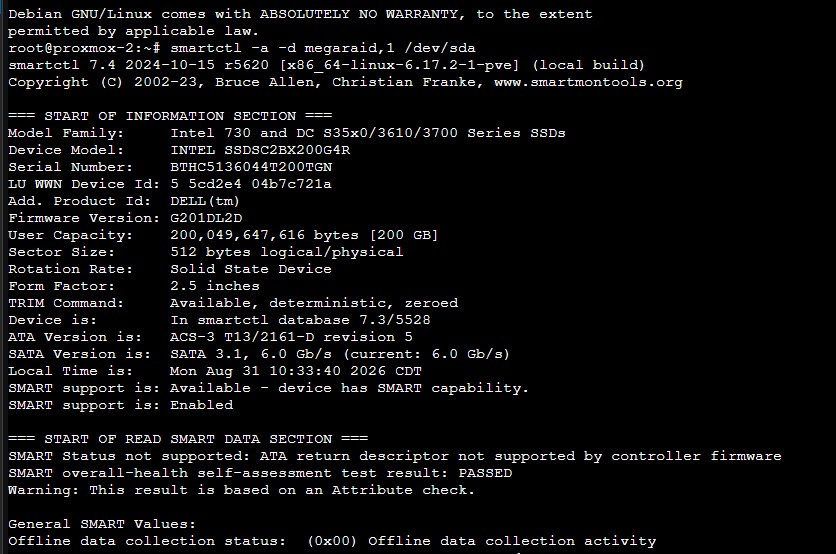
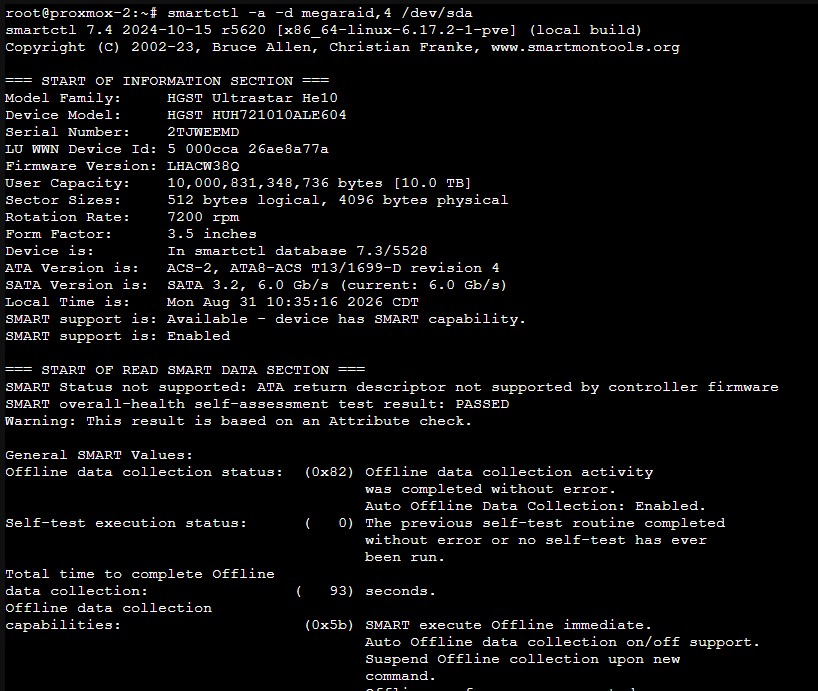
For spinning drives, lifetime hours are useful information, especially for drives you have either had in service for years or purchased preowned. I consider 45,000 hours for an enterprise drive about “early midlife”.

What does a failing drive look like?
Here’s a good example from one of my 10TB SAS drives that failed in May 2026.
One reason I like having access to both iDRAC/PERC information and the underlying SMART data is that they don’t necessarily tell you the same thing.
In this case, smartctl reported: SMART Health Status: OK
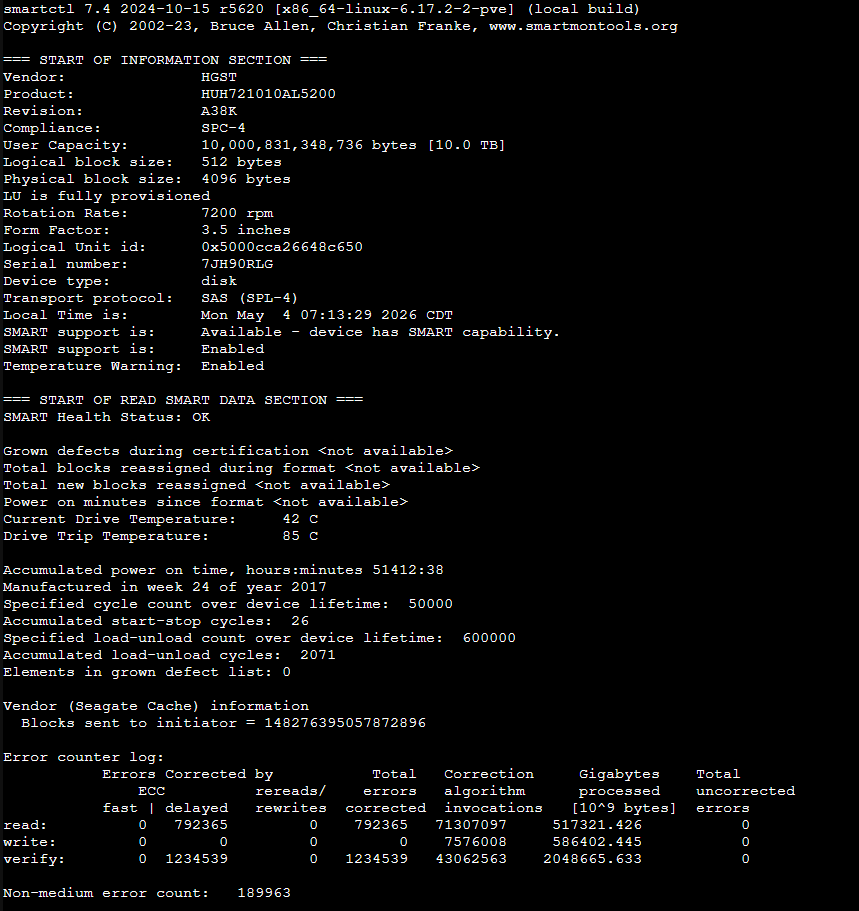
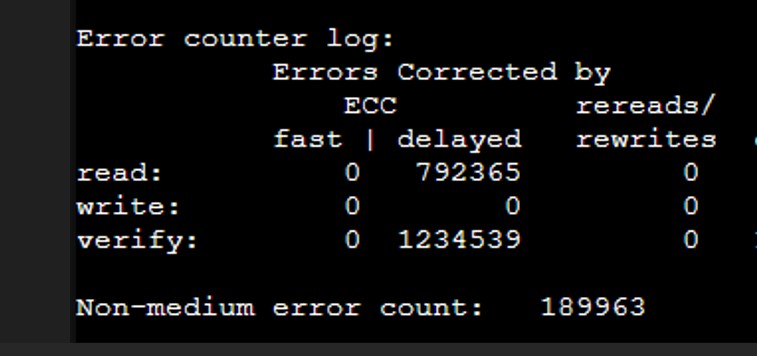
It also showed zero grown defects and zero uncorrected read, write or verify errors. If I stopped there, the drive looked pretty good. But farther down was something that certainly didn’t look good: Non-medium error count: 189963. This didn’t prove the disk itself was mechanically failing as Non-medium errors can reflect problems outside the disk media itself, including communication/controller/path issues. I’ve had plenty of communication and controller issues in desktops over the years, but it was one more thing to consider.
Meanwhile, iDRAC had already put a yellow warning on that physical disk.
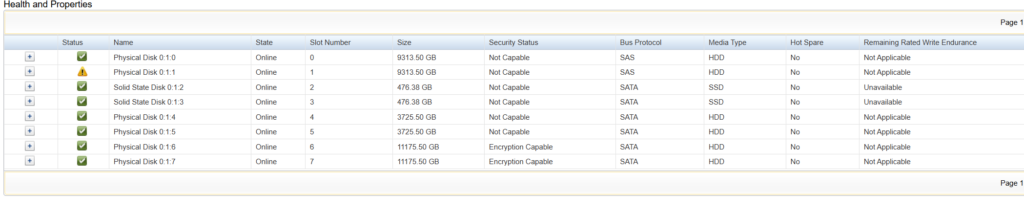
So I don’t treat the single SMART health-status line as the final word. I look through the rest of the data and also pay attention to what the PERC controller is telling me.
A couple days later, PERC let me know the disk had failed (dropped offline).

The mirror no longer had redundancy, but it continued running on the remaining drive.
The first thing I try with a failed or failing drive is to reseat it. Making sure I know which tray has the failing disk (have it blink first from the IDRAC so you know for certain), I will pull the hot-swap tray out and then reinsert it. It sounds silly, but some amount of the time it is enough for the controller to go back through and mirror the drive again. Maybe it wasn’t pushed in far enough. Who knows, but over the years I am probably batting .333 with this easy first step. Worst case, you waste a day on the rebuild only to find that it failed and the array is still degraded. But with drive prices such as they are in 2026, it might be worth a day.
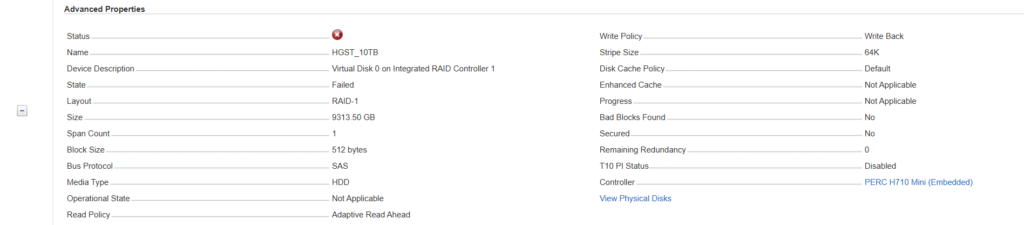
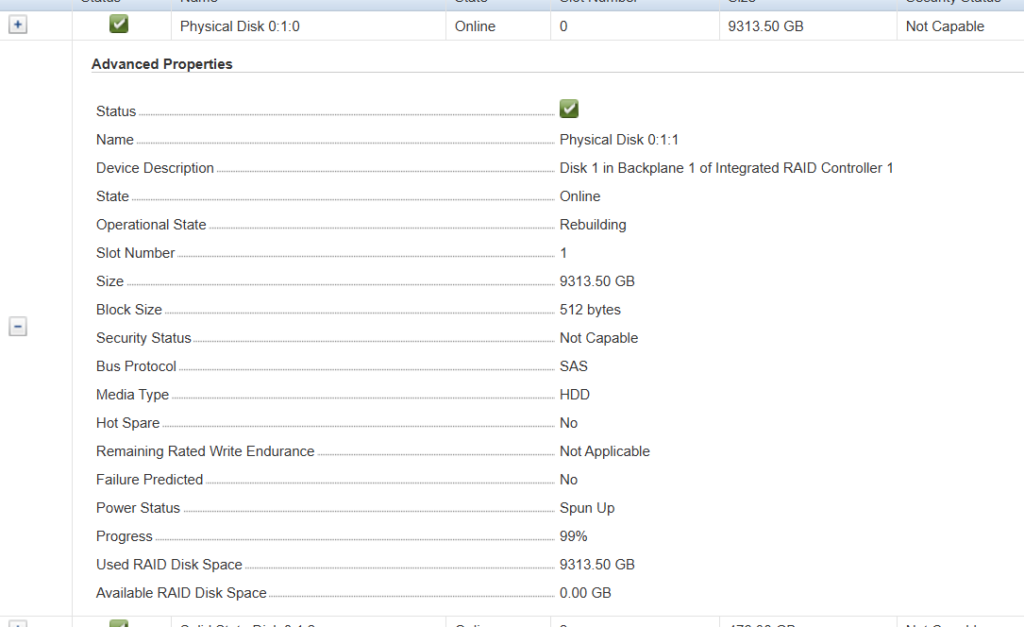
In this case, my usual trick didn’t work. The controller started rebuilding the drive, but it eventually dropped offline again and the virtual disk ended up in a failed state.

…
Finding a Replacement Drive Wasn’t as Easy as Expected
My PERC H710P controller can utilize 512e or Advanced Format drives. Not 4kn. This is important, and has made searching for replacement drives more challenging the past two years. When my drive failed in May, I ended up ordering the exact model (HGST HUH721010AL5201) I needed from a very reputable company (https://altatechnologies.com/), rather than eBay this time. I just could not find a 512e/AF drive that wasn’t obscenely priced.
It showed up and was the wrong model. They had sent the 4Kn variant (HGST HUH721010AL4200). This was not optimal as the server won’t even recognize the drive. So I contacted the company (use their web form on their site if you want an actual reply), eventually receiving a phone call from their customer service department (which was both shocking and nice at the same time). It seems they treat the four variations (HUH721010ALxxxx) as the same product. They receive big shipments regularly from China, per the rep, and despite the site saying I was buying X, they could ship W, X, Y or Z. He understood my issue and had a return shipping label in my inbox before we ended our call. This is primarily an issue with older controllers like the H710P; newer server hardware is much more likely to support 4Kn drives.
As luck would have it, I stumbled across a 10TB on the server shelf that was marked as being “almost bad” from 2025. Upgrade your storage enough times and you accrue a substantial number of drives. I went ahead and installed it and let it rebuild. Everything seemed to have worked and it is currently in use. No issues since.
Between smartctl, PERC/iDRAC and the controller’s event logs, I was able to see considerably more of what was happening than any one of them showed by itself.
I am bringing this up in case someone else runs into a similar issue.
Leave a Reply