Way back at the dawn of time (late 90s), I lived in a duplex for a couple years. I’d purchased a new PC and monitor and thought all was going to be good. However, the new purchase would randomly power cycle, even when working on it. OS corruption followed. Reinstalling the factory OS a couple of times did not resolve the issue. So I returned it under the (then) generous return policy and purchased a better brand, thinking perhaps the generic machine was the real issue. Nope. The new one power cycled twice as well. No way this was a coincidence.
I did some research– which was not as easy back then as it is today– and found suggestions on adding a UPS (Uninterruptible Power Supply) and connecting the PC to it. So I purchased a small APC UPS and put it in place. Additionally, I installed their PowerChute monitoring software. After the APC was in the mix, the PC didn’t power cycle any more. The monitoring software was showing an alarming number of brownouts. Aha, dirty power!
That was my initiation to the value of consumer power protection units, and I never looked back.
When I talk about clean power, I’m not just talking about keeping a machine running when the electricity goes completely out. I’m also talking about the little events you normally don’t think about—voltage drops, momentary outages and other fluctuations. The UPS sits between that utility power and the equipment I care about.
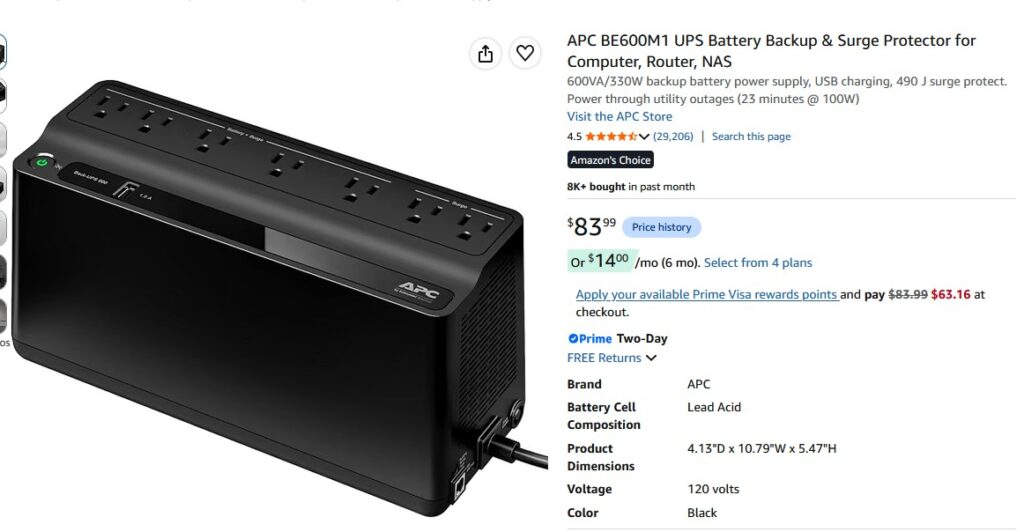
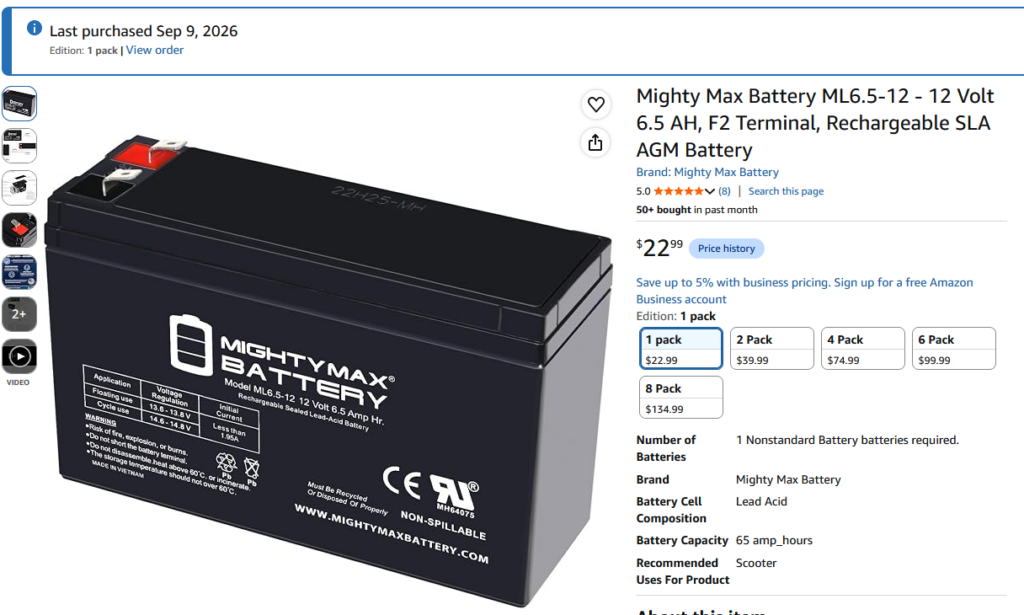
Over the years I have purchased many UPSs, as they do not last forever. For years, every time I needed a battery I would price it and discover that buying another UPS wasn’t much more expensive. Lately that equation seems to have flipped. At least for the units I own, I’ve gone back to replacing batteries. Just in the past couple weeks, I replaced a battery in a smaller APC unit, a BE600M1. The device is currently $84, and the battery was just $23. I ordered one and it was a perfect replacement.
I have also stuck with APC products almost exclusively. At this point it is just inertia. I tried going with a cheaper option in the early 2000s by another manufacturer, and if the power flickered, the PC would shut off. It did it enough that I just replaced the unit with an APC and gave the other unit to someone I didn’t like. More than likely the major brands all have the same reliability, so I’m not recommending APC over all the others– it is just what I have the most experience with.
Protecting the servers
This is a no-brainer. I want the servers to have clean power as well as surviving short power outages. Light flickers during storms that cause appliance clocks to flash don’t affect the servers at all.
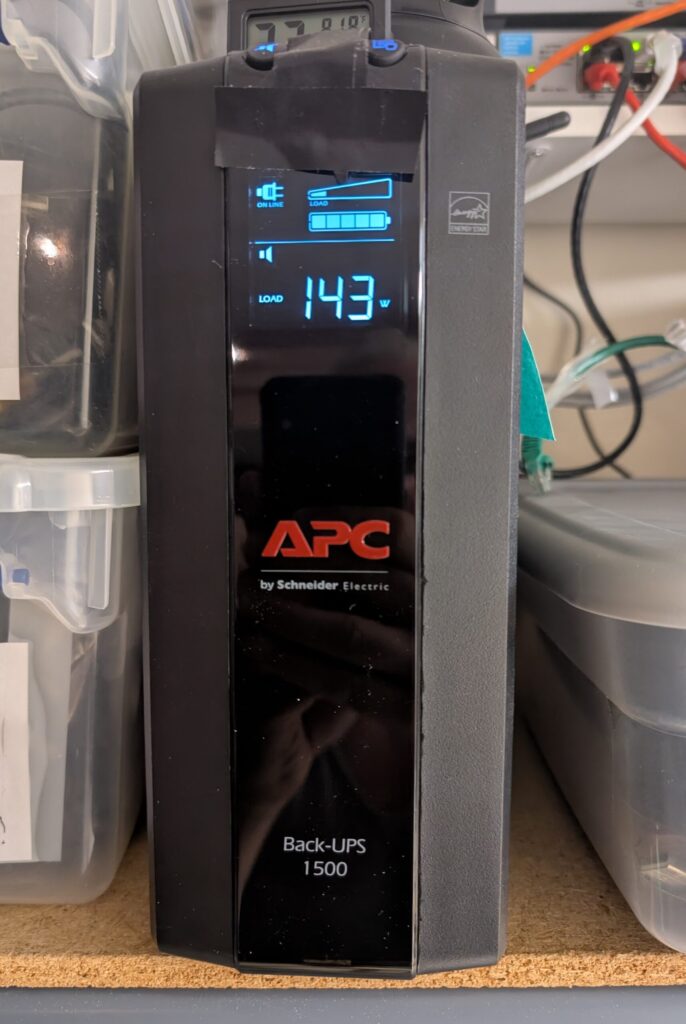
I have two beefy consumer APC units (1500 and 1080), and one smaller unit for ancillary items like a monitor, that the two R720s and network switches are plugged into.
Both of my R720s have redundant power supplies, but I don’t normally have both power supplies sharing the load. In iDRAC I have the redundancy policy set to Input Power Redundant, with Hot Spare enabled. PSU2 is configured as the primary power supply on one R720, while PSU1 is primary on the other.
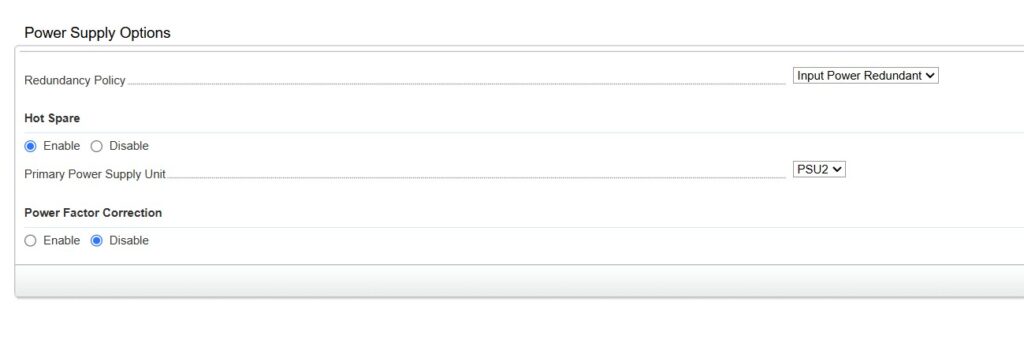
Under normal conditions, the primary PSU handles the server’s power load while the second power supply remains available as a hot spare. If the primary power supply—or the UPS feeding it—loses power, the second PSU can take over without shutting down the server.
I take advantage of that by connecting the two power supplies in each R720 to different UPSs. PSU1 from each server goes to one UPS and PSU2 goes to the other. Since the servers have opposite primary power supplies, each UPS normally carries the primary load of one R720. If either UPS fails or loses power, the hot-spare power supply in that server can take over from the other UPS.
This gives me redundancy all the way back to the UPS rather than just having two power supplies plugged into the same battery backup.
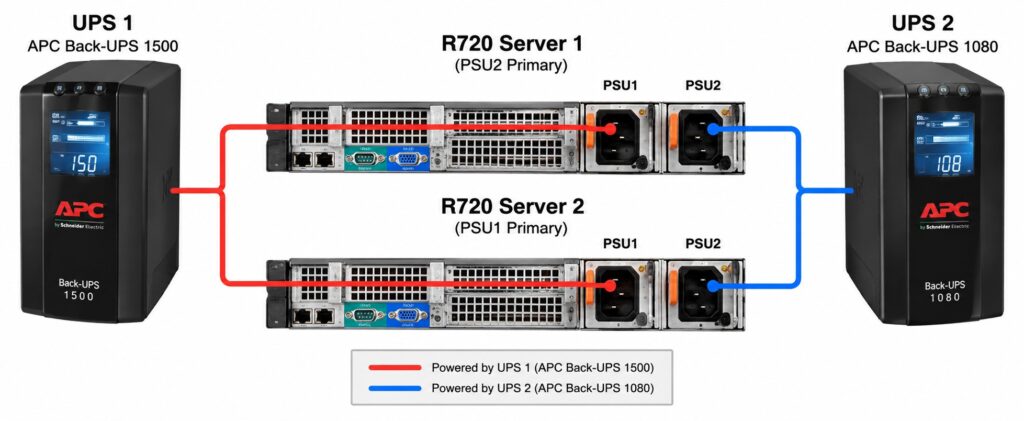
From experience, I can get between 25 and 30 minutes of runtime from the setup. That gives me ample time to gracefully power them down if the outage is expected to be extended. I have been working on a process to automatically power down the VMs if one of the R720s has been on battery power for more than five minutes. This is still in the testing phase, but I will post an article detailing the steps once it has been put into production. I can already remotely power down VMs from my Home Assistant interface so I do not have to be home to do this.
I also make sure the network equipment needed by the servers is protected. Keeping an R720 running through a ten-second outage doesn’t do much good if the switch it’s connected to rebooted.
I also recently purchased a generator. That 25–30 minutes of battery runtime gives me plenty of time to decide whether the outage is going to last, and if necessary get the generator running and move the servers over to it.
Protecting backup targets
In the sump room I have two backup machines—one of my own and the other being my buddy’s backup target. Those two machines, the small switch, and the monitor on the shelf in there are all on the one UPS. I have NUT installed in my 7010 OMV machine, which allows me to monitor the usage from my Home Assistant interface. As you can see below, they do not use a large amount of power. I also get an alert if the UPS’s load drops below 10% as that tells me the offsite backup target (i3) is powered off for some reason, and I can let my buddy know. It is very rare, but it has happened.
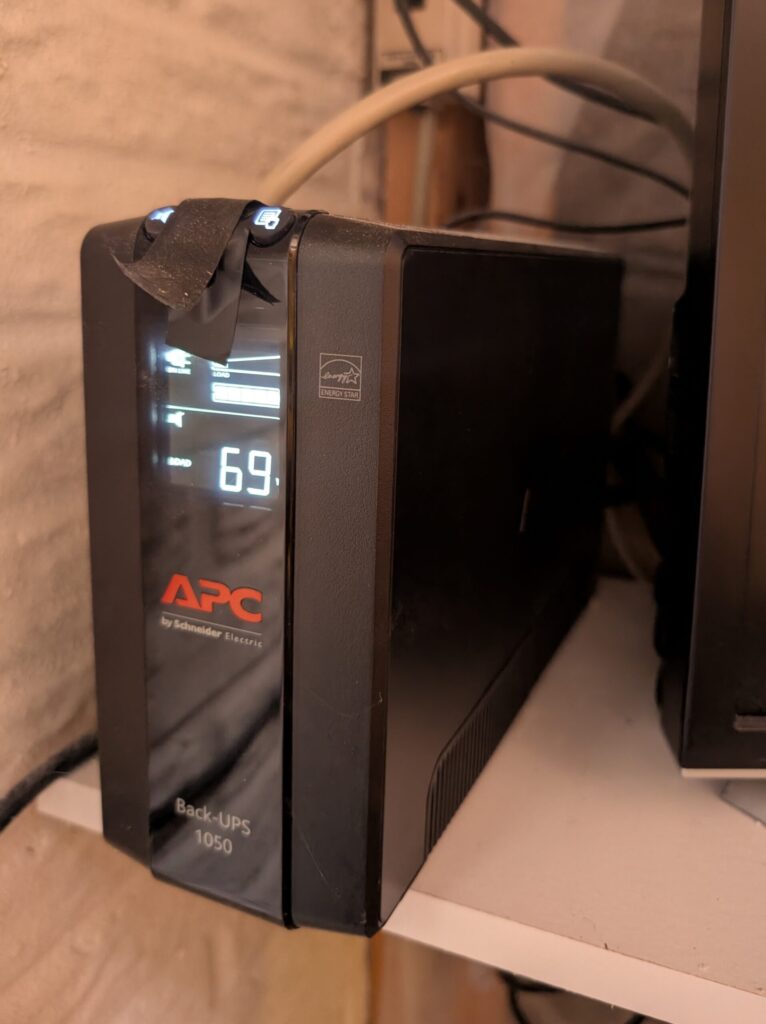
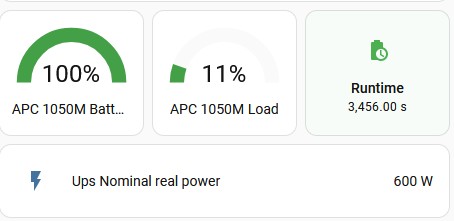
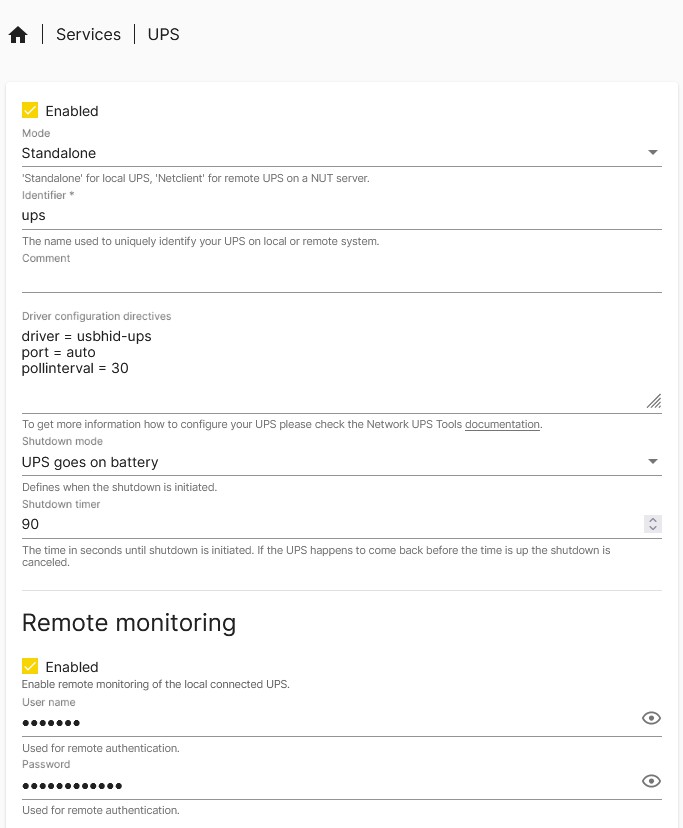
My 7010, which has NUT installed, is set to shut down gracefully if the machine is on battery power for more than 90 seconds. This preserves the battery for the i3. Eventually the battery will be exhausted and his machine will shut off hard. That’s not ideal, but the large backup drives are spun down probably 99% of the time, so chances are good they won’t even be active when it happens. Since this is also a backup target rather than primary storage, we’re both comfortable with that tradeoff.
When power comes back on, our machines automatically restart.
It’s Not Just the Servers
Somewhere along the way I stopped thinking of a UPS as an optional accessory. If I have a computer that matters to me and it normally stays in one place, there is a UPS underneath it.
My Dodeca, the Arcade T3500, the fiber modem, all the small network switches scattered around the house, the wireless router, and even the home entertainment equipment are protected. I don’t need to run the TV, stereo or Roku when the power is out. They’re on a UPS because I want them isolated from the same power fluctuations and short interruptions as everything else.
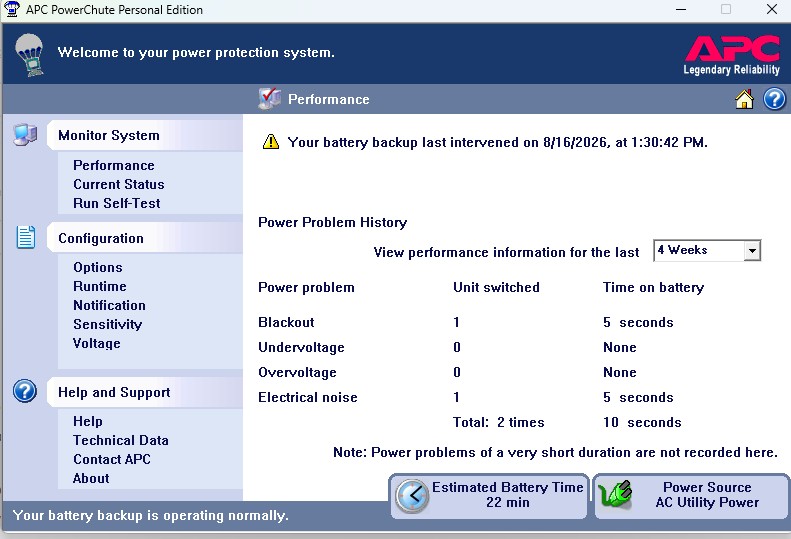
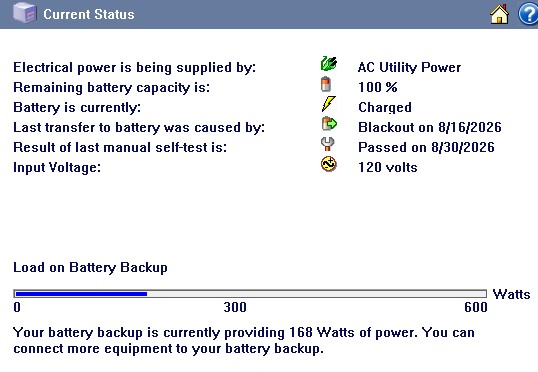
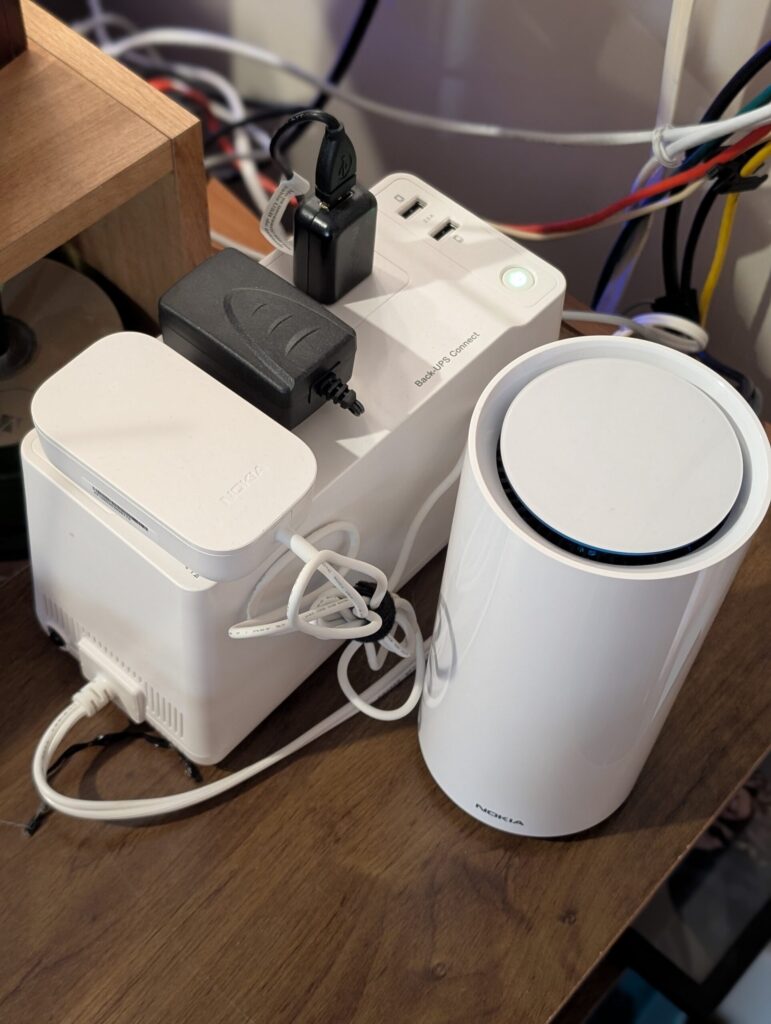
I even have a small UPS that the fiber modem is plugged into, as well as my MagicJack “landline”.
I’m not trying to run for hours
If the power is going to be out for six hours, I’m not terribly concerned about keeping my R720s running for six hours. At some point I want them to shut down cleanly. What I don’t want is for a half-second power interruption to crash everything. Historically, my area either gets small five-to-ten second outages, or multi-hour outages. There doesn’t seem to be much in between. The short ones are exactly what a UPS handles beautifully. Most of the time I don’t even notice the power went out until I see a clock flashing somewhere that isn’t on one.
If the outage turns into one of the multi-hour events, that’s different. The UPS has already done its job. It kept everything running through the initial outage and gave me time to either shut things down cleanly or get the generator running.
For me, that’s really the point. I’m not trying to run my house or home lab from batteries. I want clean power during normal operation, no interruption from the little power glitches, and enough runtime to deal with the bigger ones.
Some of the computers I’m protecting aren’t worth much at all. My 7010 backup machine was literally a work castoff. But I’m not really protecting the value of the computer. I’m protecting the data attached to it, the job it’s doing, and giving it the best chance of shutting down cleanly when something goes wrong. It also protects my time investment.
Just because I am running older hardware doesn’t mean I have to feed it crappy power.
Leave a Reply